How can we help?
Seven short steps, then you’re watching
- WelcomeWhat is your time worth?
- ChaptersMove by chapter
- Try itTap the video. Tap the Streamlined logo. Tap Chapters, then pick a chapter.
- More waysMore ways to make YouTube yours
- Your privacyNext, Android asks you to allow a few things.
- Connect to YouTubeStreamlined works on top of YouTube, so Android asks you to allow it, one thing at a time.
- ReadyIn YouTube, tap a playing video. Streamlined’s logo and buttons come up with YouTube’s controls.
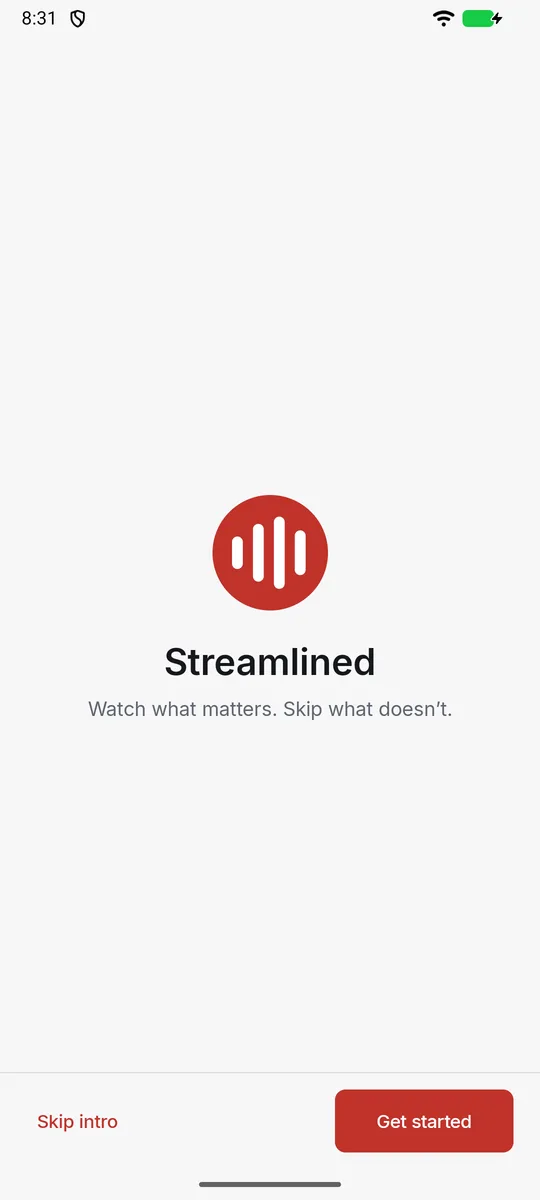
Intro 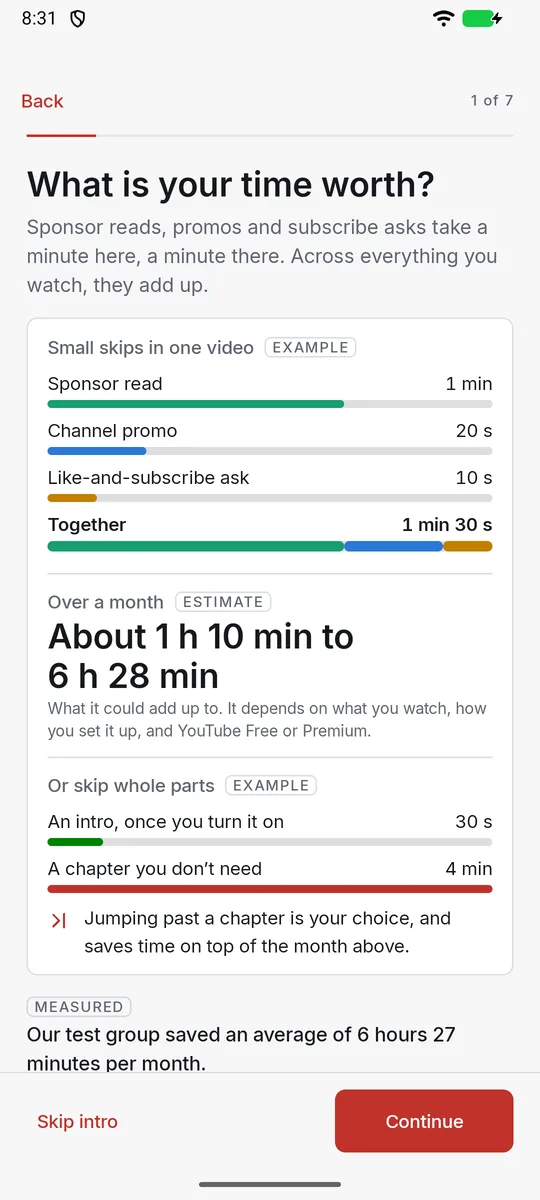
What is your time worth? 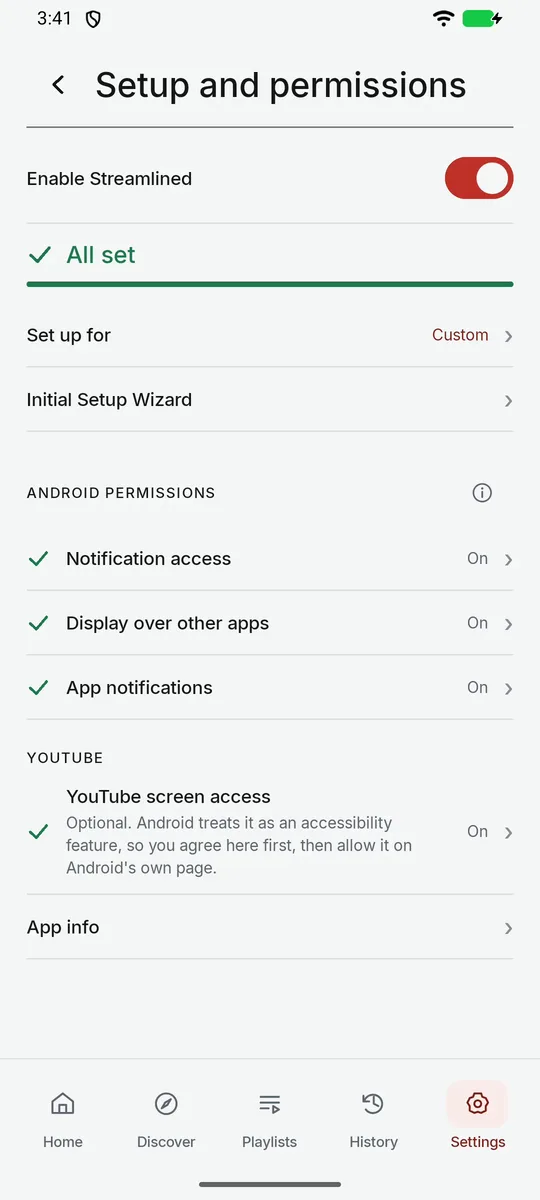
Setup and permissions: All set
Real screens from a Streamlined 1.1.0 test build on an Android emulator.
What setup asks Android for
- Setup asks for it
Notification access
In setup: Read playback notifications
Reads YouTube’s media notification to identify the playing video and connect its playback controls, including headphone chapter buttons. This is separate from showing Streamlined’s own notifications.
- Setup asks for it
Display over other apps
Lets the bar show on top of YouTube.
- Setup asks for it
App notifications
In setup: Show Streamlined notifications
Lets Streamlined show its own notification while the bar runs, and one for the next video in your queue. It does not give access to other apps’ notifications.
- Optional
YouTube screen access
Optional. Android treats it as an accessibility feature, so you agree here first, then allow it on Android’s own page. Places the bar clear of YouTube’s controls and sees what’s next. Skip ads needs it too.
How the app handles information is covered in the published Android privacy notice.
Answers
Install and compatibility
- Find it on Google Play, where it is currently listed under our former name, PureStream for YouTube. The listing shows whether it works on your device and in your region.
- Open the app and follow its seven setup steps. To run setup again, open Settings > Setup and permissions > Initial Setup Wizard.
Permissions and the bar over YouTube
- Connect to YouTube asks Android for three things, one at a time: notification access (read playback notifications), display over other apps, and app notifications. The bar is the Streamlined overlay: its logo and buttons show on top of YouTube.
- YouTube screen access is optional. Android treats it as an accessibility feature, so you agree in the app first, then allow it on Android’s own page. It places the bar clear of YouTube’s controls and sees what’s next, and Skip ads needs it.
- Settings > Setup and permissions shows each permission’s state, and reads All set when everything is on. Finish later leaves setup partly done; the app says what is missing.
Choose what to skip
- Open Settings > Chapters > Choose what to skip. Each kind of section (Sponsor, Channel plugs, Like-and-subscribe asks, Intro, Endings, Preview and Non-music sections) can be Off, Ask or Auto.
- Auto skips by itself. Ask shows a Skip button. Off leaves it playing.
- Sponsors under 10 s and like-and-subscribe asks under 5 s are left playing. Other sections under 10 s are too.
- Streamlined skips only what it has found. A new video can take a few minutes, and some sections are missed.
- Stats count only skips that happened.
- On a new install, setup turns sponsor reads, channel plugs and like-and-subscribe asks to Auto. If you already have skip rules, from an earlier version, a restored backup or your own choices, setup keeps them. Intros and endings start Off until you turn them on.
Skip ads
- Skip ads when YouTube offers it: Presses YouTube’s own Skip button. Never blocks, mutes or hides an advert.
- It is off until you turn it on, and it needs YouTube screen access. Ads YouTube doesn’t let you skip still play.
Chapters
- Tap a playing video in YouTube, and Streamlined’s logo and buttons come up with YouTube’s controls. Tap Chapters to open the Chapters box. Tap a chapter to jump to it; the one playing is marked Now.
- The arrow shrinks the box to the chapter playing, and the X closes it.
- For most videos without chapters, Streamlined can make them, usually in a few minutes. Not for songs or very short videos, and now and then none can be made. When a button is grey, there’s nothing to use right now; the line at the top of the quick menu says why.
Headphones and the car
- Next and previous on compatible wired, Bluetooth or USB headphones jump chapters while the bar runs.
- In the car, Android Auto lists the chapters. No video is shown. Set it up before you drive.
- Not every headset or car works, and screen-off listening depends on your YouTube plan.
YouTube Free or Premium
- Designed for both YouTube Free and Premium. Chapters and the skips inside videos work on both.
- Without YouTube Premium, YouTube stops when you leave it or turn the screen off.
Turning Streamlined off
- Settings > Setup and permissions > Enable Streamlined turns it off. The app then shows Streamlined is off and says: “Nothing is looked up or sent. Turn it on any time in Settings.”
- To stop YouTube screen access, tap Turn off on its page, then switch it off in Android’s accessibility settings too.
Streamlined Plus and billing
- Plus is not on sale yet. For billing or subscription questions, email billing@streamlinedplay.com.
Privacy and support
- The published Android privacy policy explains how data is handled and kept. For privacy requests, email privacy@streamlinedplay.com.
- For product support, email support@streamlinedplay.com with your app version and a short description. Please leave out passwords, payment details and watch history.
No matches. Try another word, or email us below.
Still stuck? Talk to us
Include your app version and a short description, and leave out sensitive information. For the other Streamlined products, see the Streamlined help centre or support contacts.